Many audiences, very different moments of need.
Visitors might arrive to find support, attend an event, locate an affirming resource, volunteer, donate, or simply understand the organization.
Stonewall Columbus · Responsive website
A responsive community website connecting Central Ohio’s LGBTQ+ community with resources, events, advocacy, support, and giving.
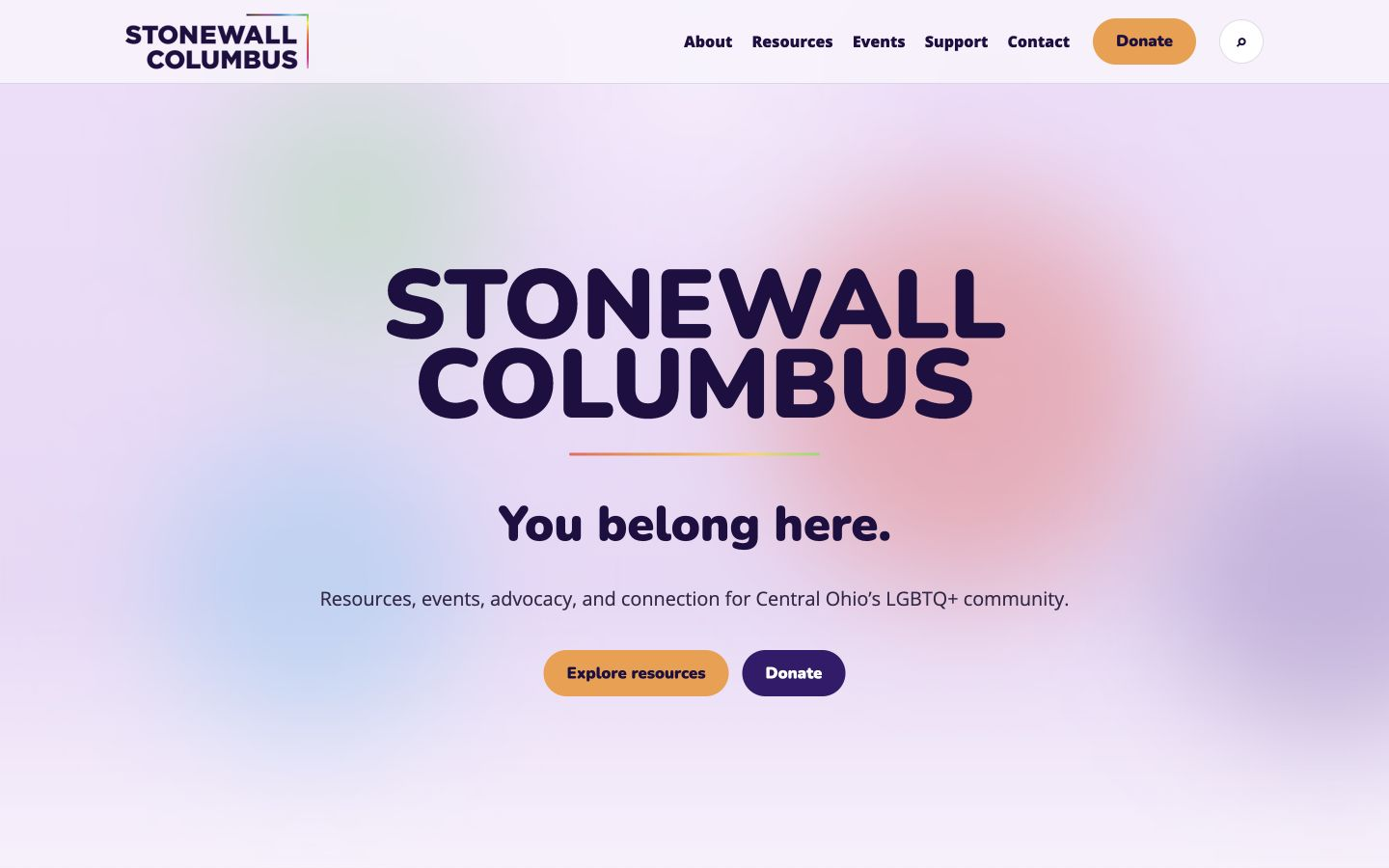
Project snapshot
Visitors might arrive to find support, attend an event, locate an affirming resource, volunteer, donate, or simply understand the organization.
The source deck documents a collaborative design sprint. The research artifacts and major prototype decisions belong to that shared team effort.
I contributed to content and navigation analysis, information architecture, interface direction, and prototype decisions, then translated the direction into the navigable website shown here.
Process overview
Reviewed audiences, needs, existing content, and the reasons people visit.
Audited navigation and grouped resources, events, support, and giving into clearer pathways.
Created wireframes, patterns, and visual directions balancing warmth with readability.
Implemented the responsive multi-page experience and checked route and interaction behavior.
Current experience audit
The team’s evaluation pointed to a hierarchy problem, not just a visual one. Repeated categories and competing calls to action made it harder to understand what to do next.
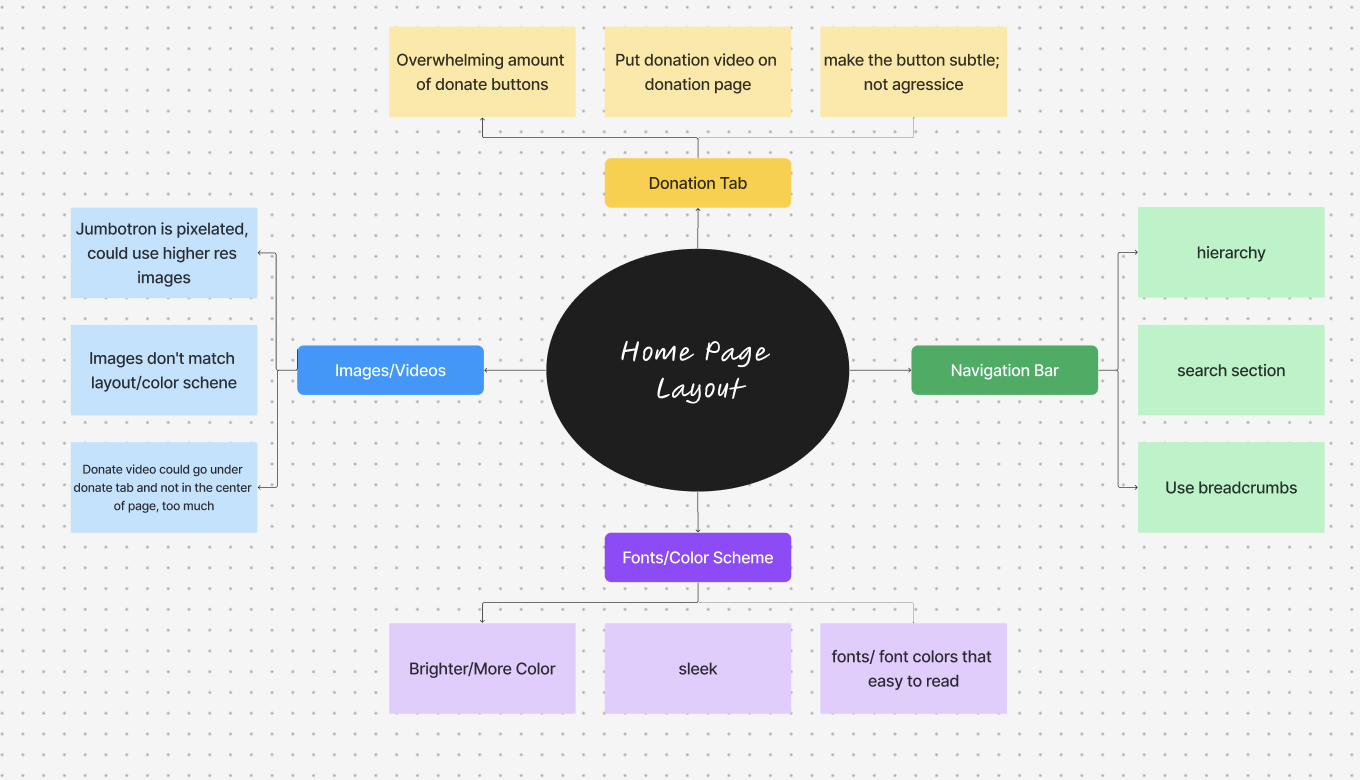
A large, pixelated jumbotron competed with events, resources, and other task-oriented content.
Mission, team, organizational information, and repeated imagery could be consolidated into clearer groups.
Visitors had to parse overlapping categories instead of selecting a direct, goal-oriented path.
Incomplete or ambiguous states—such as an “Error” label for future registration—needed more useful language.
Audience synthesis
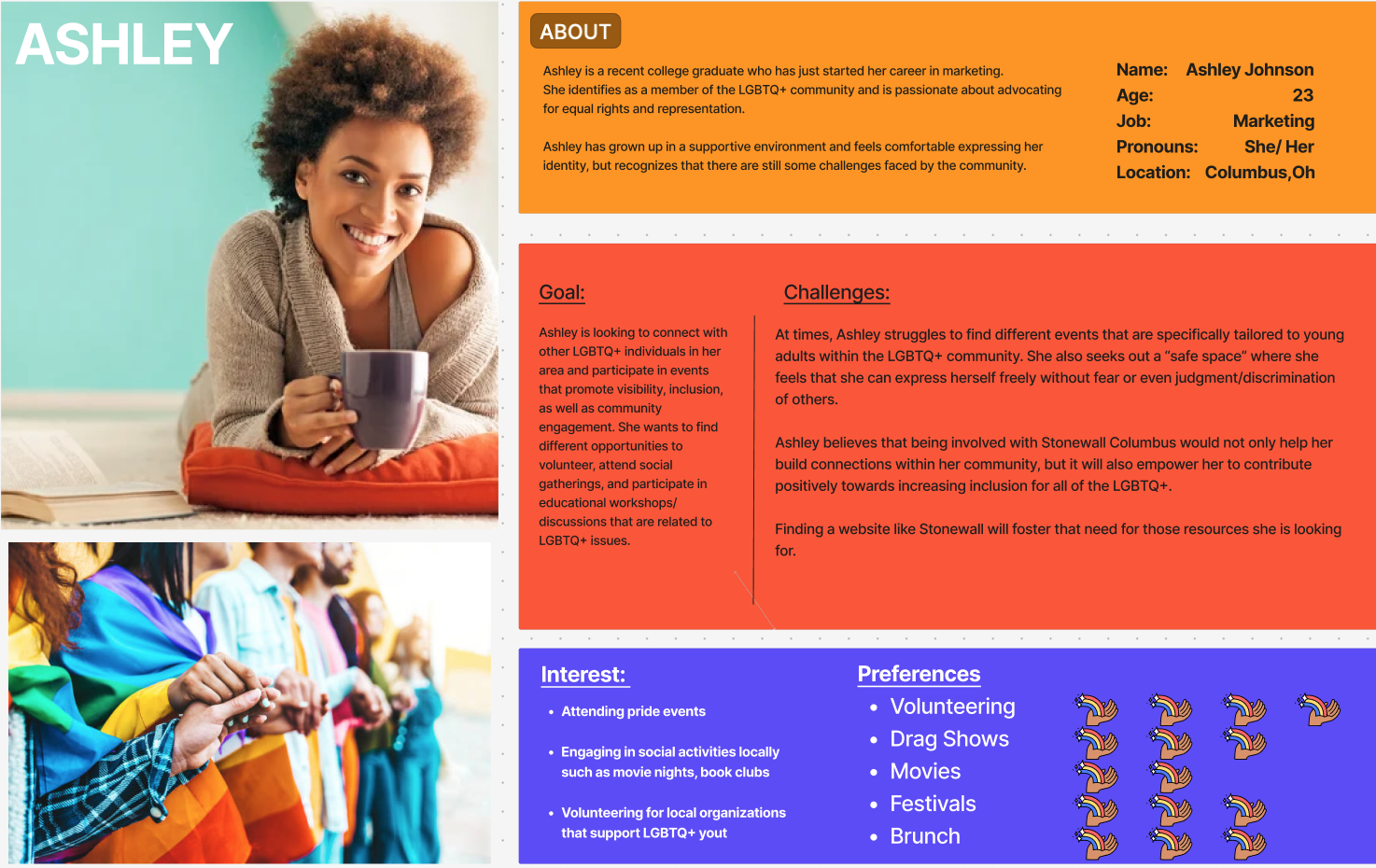
Ashley represents a visitor looking for local events, volunteering, affirming resources, and community—while navigating with uncertainty about where to begin.
User expectations
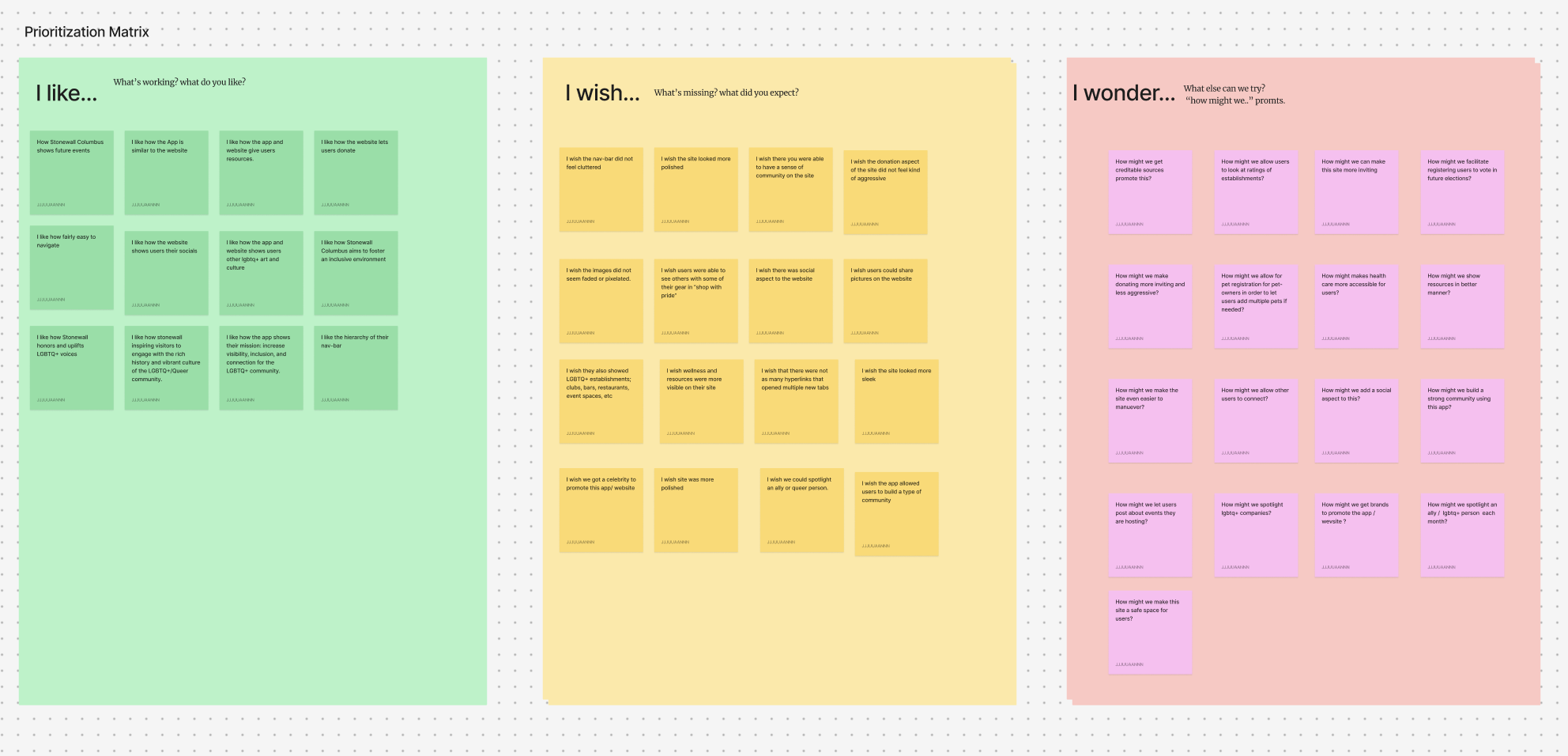
Participants valued events, resources, inclusive imagery, and a clear donation path. They wished for a more polished, less-cluttered interface with stronger community signals.
Journey
Ashley begins with two concrete intentions—find events and support an organization—but the number and prominence of options create friction before she can act.
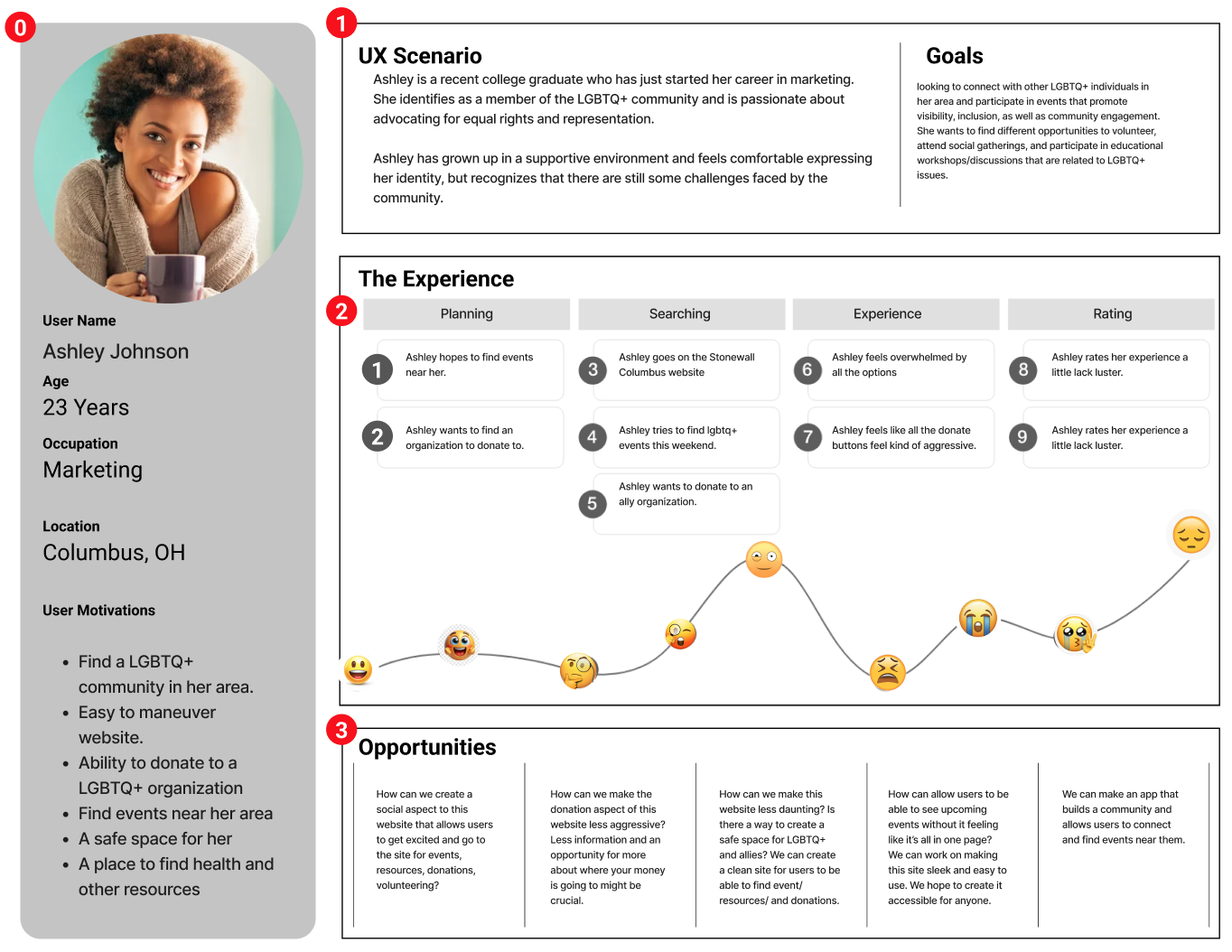
Find a local event and an organization worth supporting.
Options feel broad before a clear path becomes visible.
See useful context without donation prompts taking over.
Connect events, resources, and support through predictable pathways.
Diverge → converge
Community features, event visibility, donation context, imagery, search, typography, color, and page hierarchy.
The coded build separates About, Resources, Events, Support, Contact, and Donate into visible, repeatable routes.
Information architecture
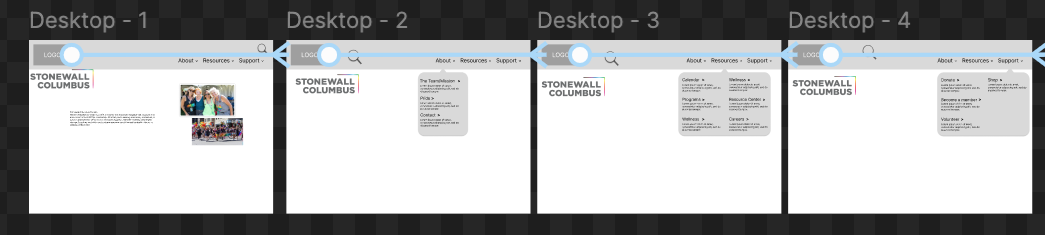
The redesigned structure grouped institutional content under About, practical help under Resources, and participation under Support. Search remained a utility for visitors who already knew what they needed.
Organization, mission, Pride, and contact context.
Practical help grouped into recognizable categories.
Giving, membership, volunteering, and participation.
Wireframes + navigation
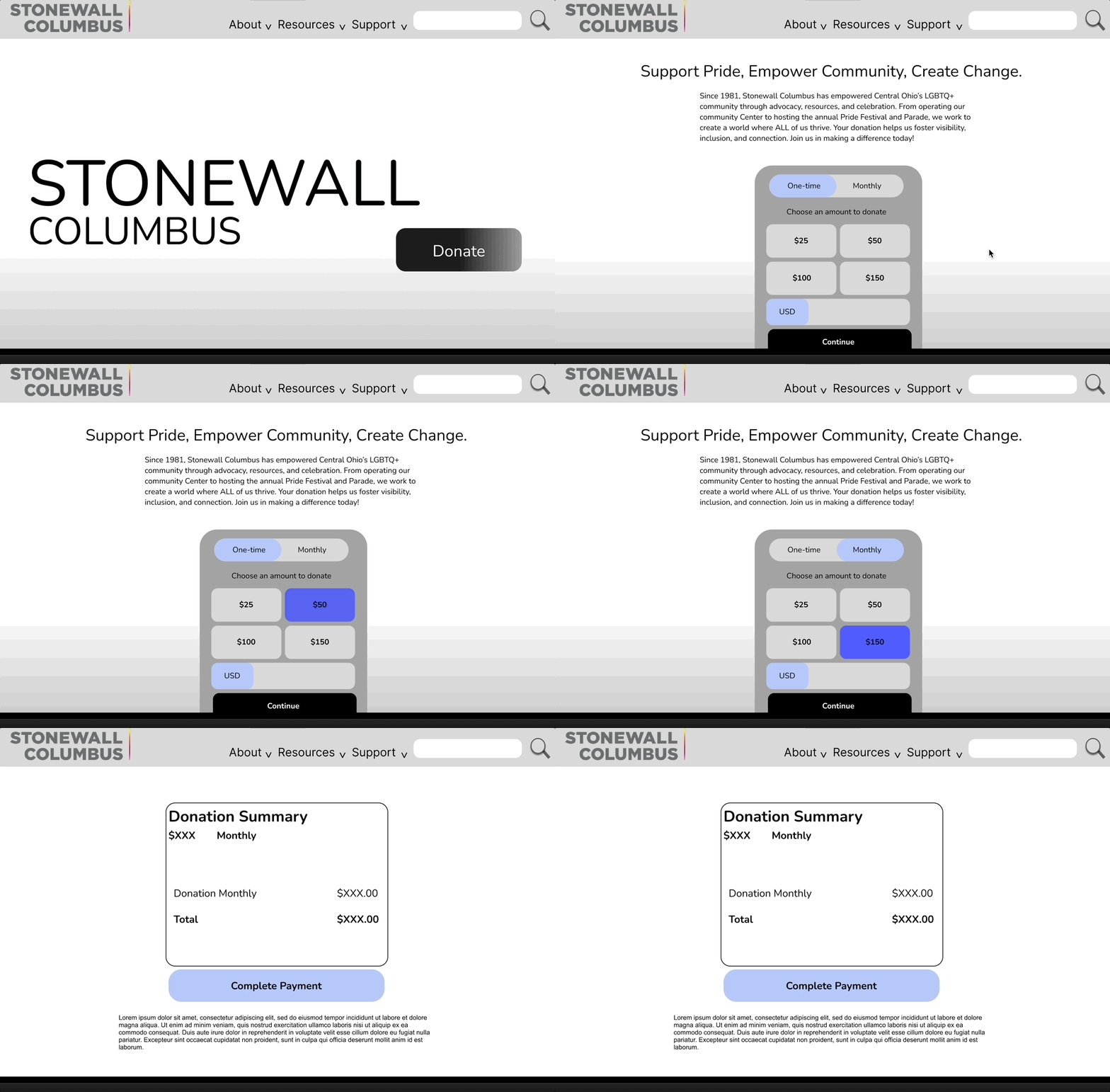
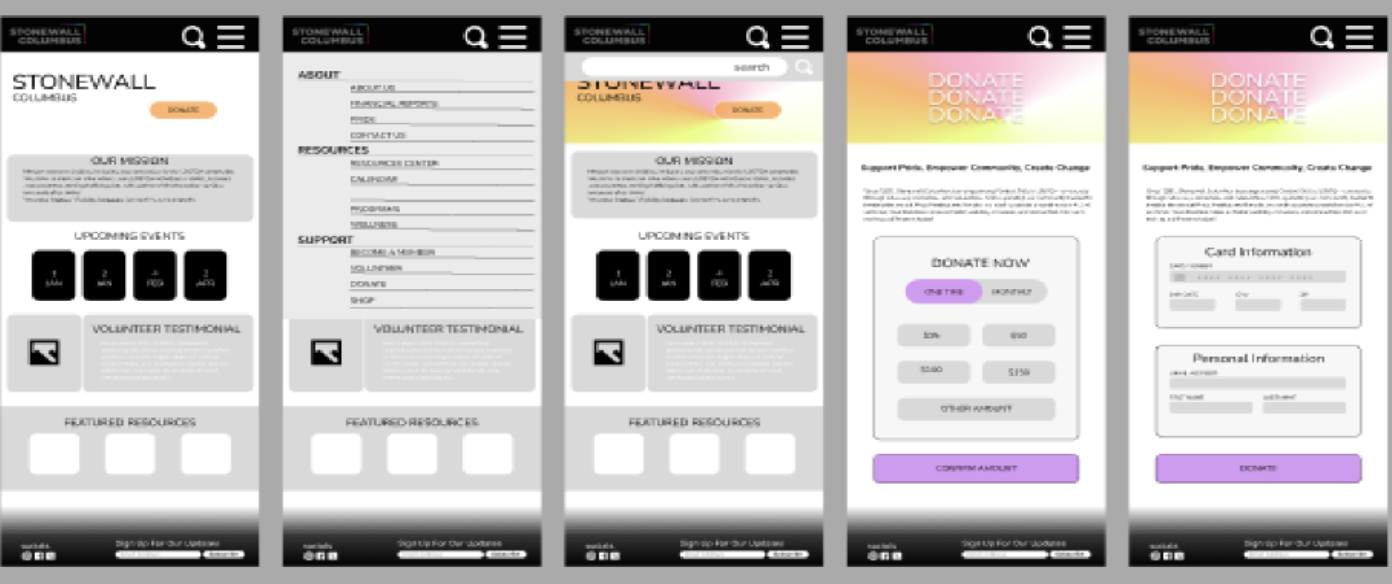
Navigation concepts and task flows tested the relationship between top-level groups, expandable menus, search, and donation before the high-fidelity styling was applied.
Proposed A/B test
The team proposed comparing a square card presentation with a horizontal event treatment to study visual hierarchy and interaction. The supplied sources contain the plan and variants, but no test results.
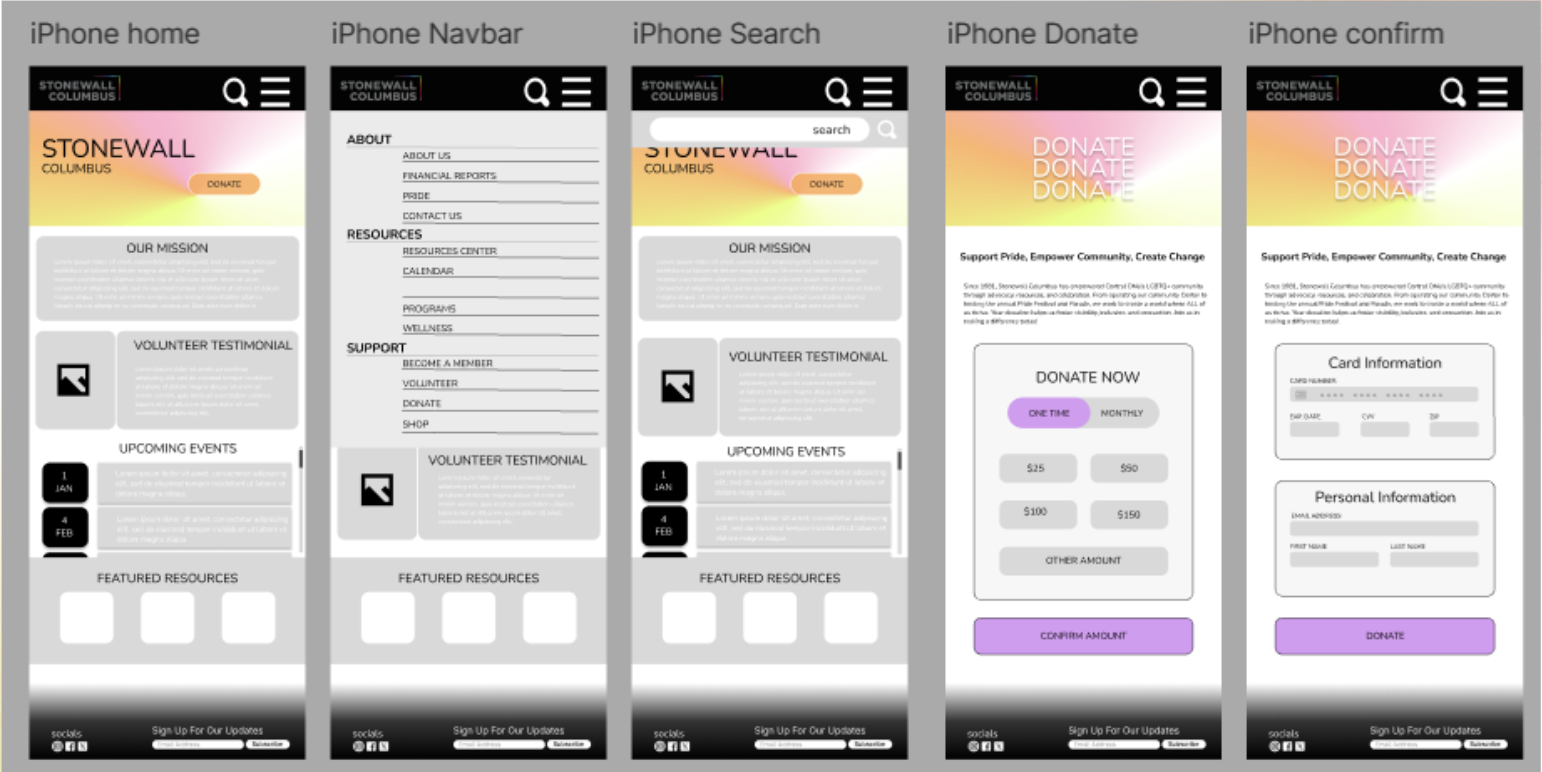
A square event-card layout may create stronger visual hierarchy and make events easier to notice than a horizontal treatment.
Event discovery, comprehension, interaction, and engagement with event details.
Proposed test. No validated result is available.
Visual direction
The sprint style guide established Stonewall’s purple, lavender, orange, and white palette alongside Open Sans, Nunito, and a set of rounded action styles.
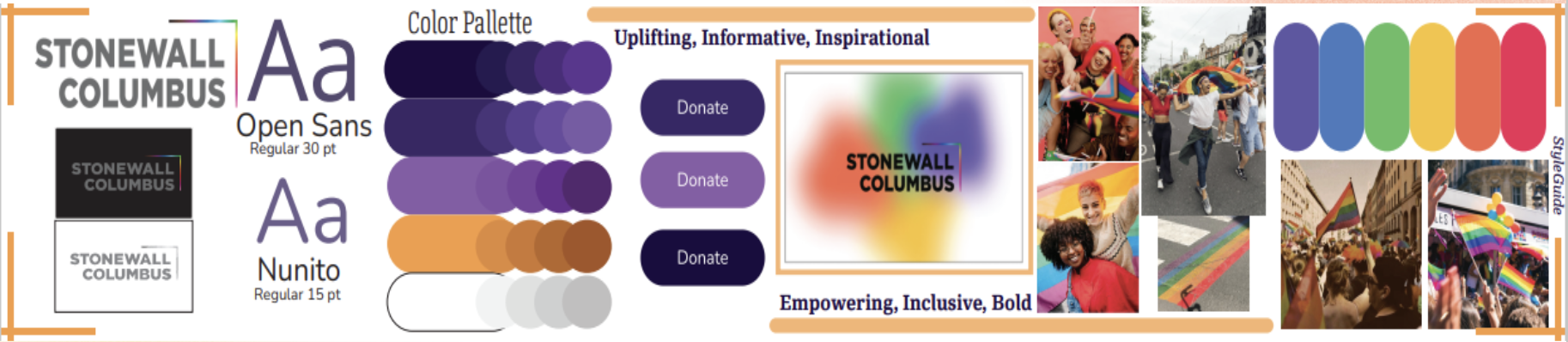
The coded demo carries forward the warm identity while using consistent cards, semantic page structure, repeated CTA styles, and responsive layouts across distinct routes.
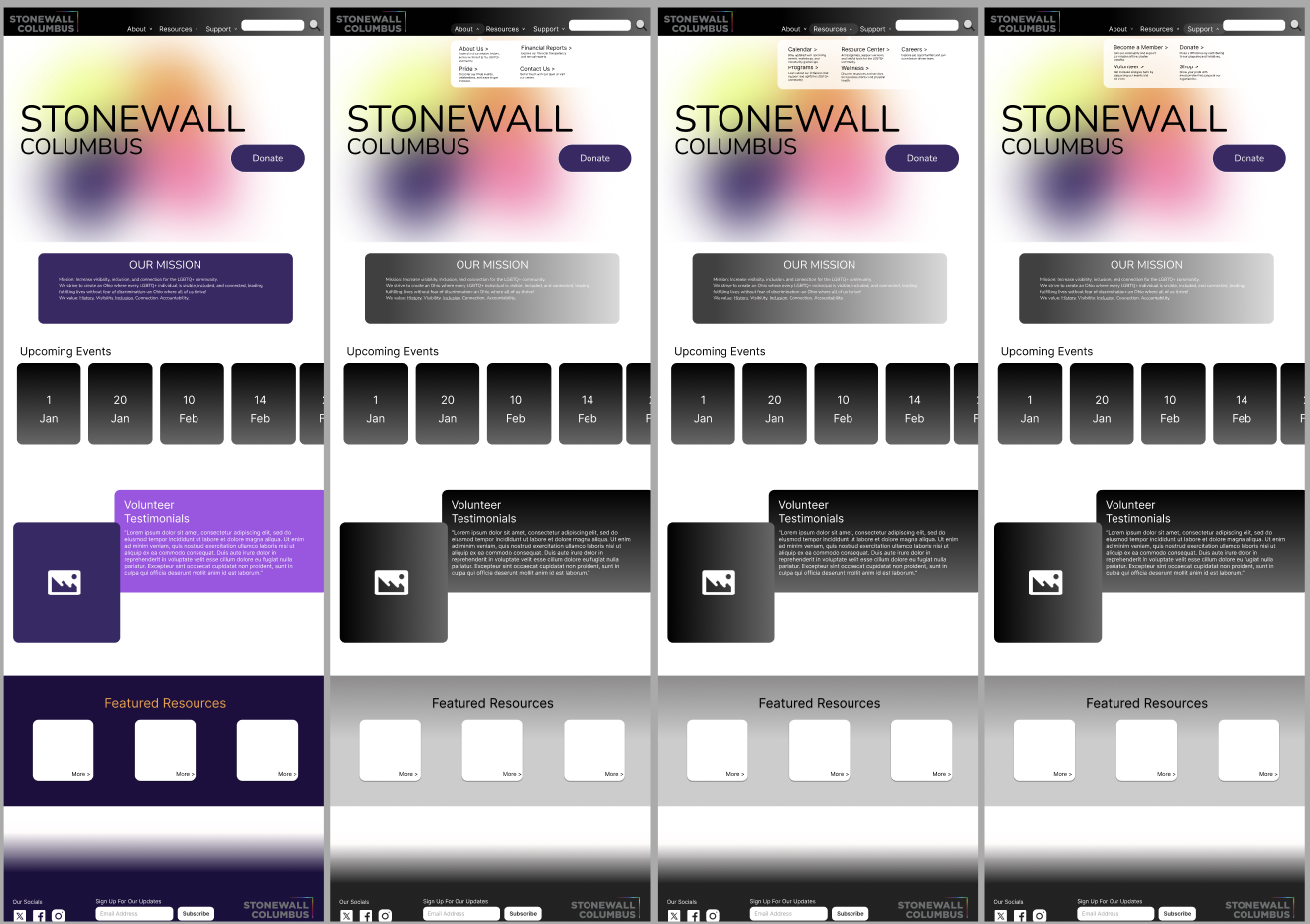
Prototype direction
This historical Figma artifact records the design-stage direction. Final product evidence below comes directly from the live coded website.
Built experience
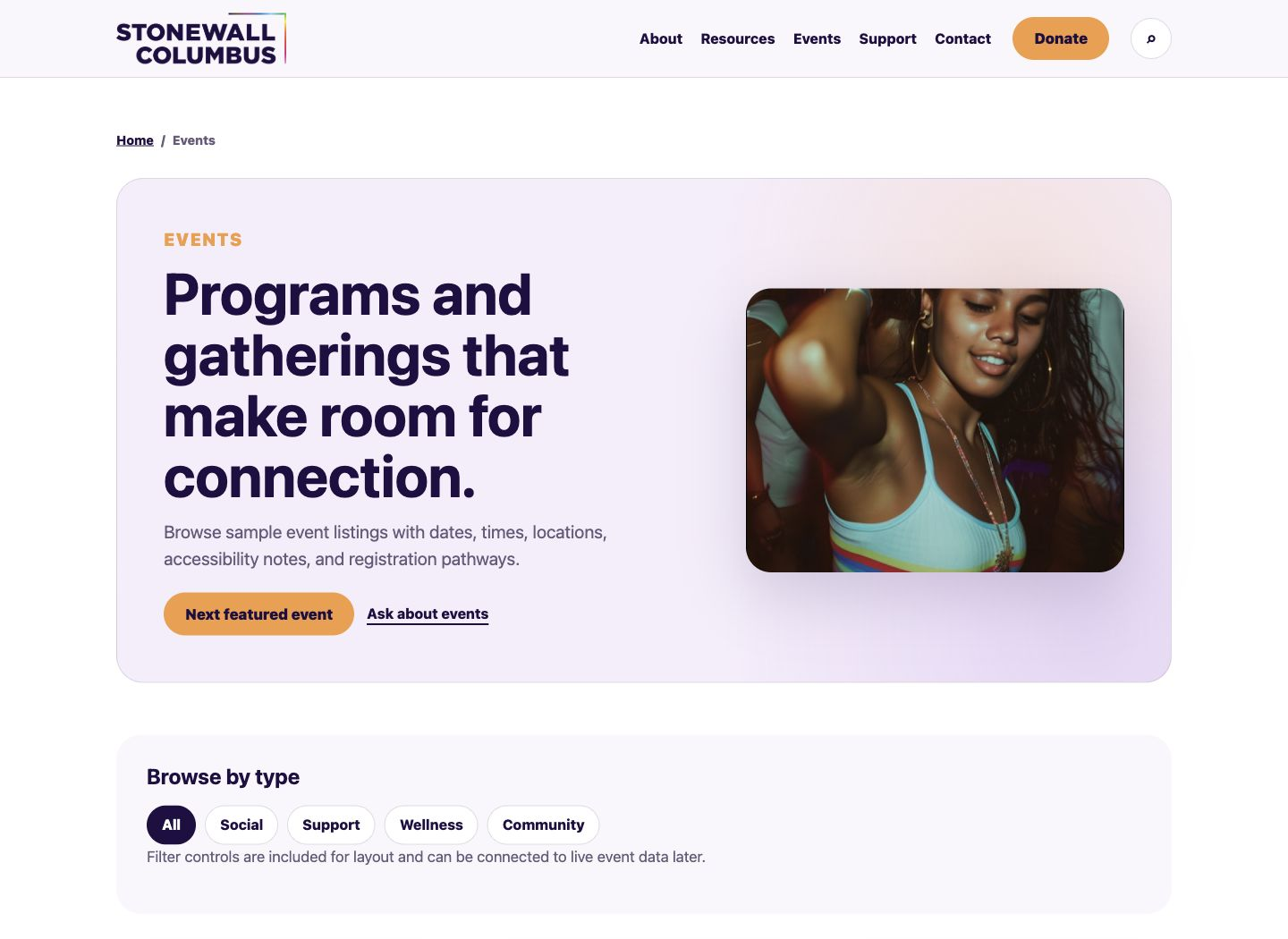
The final evidence comes from the current coded demonstration: real routes, working navigation, responsive content, and a simulated donation flow.
The events route uses scannable dates, event types, times, and locations while keeping resource and contact pathways nearby.
Resource cards use descriptive labels and dedicated routes for trans resources, wellness, support groups, and family planning.
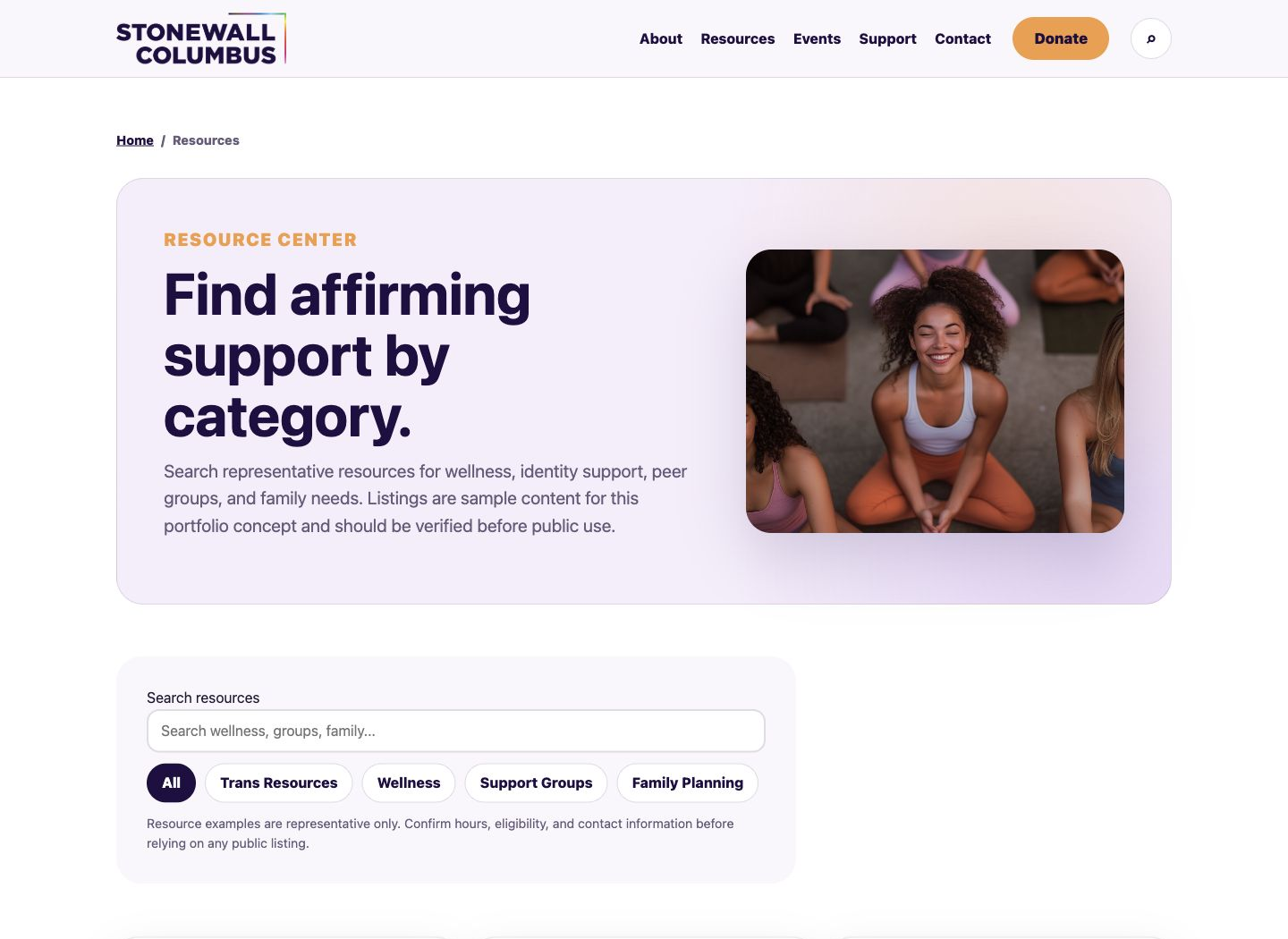
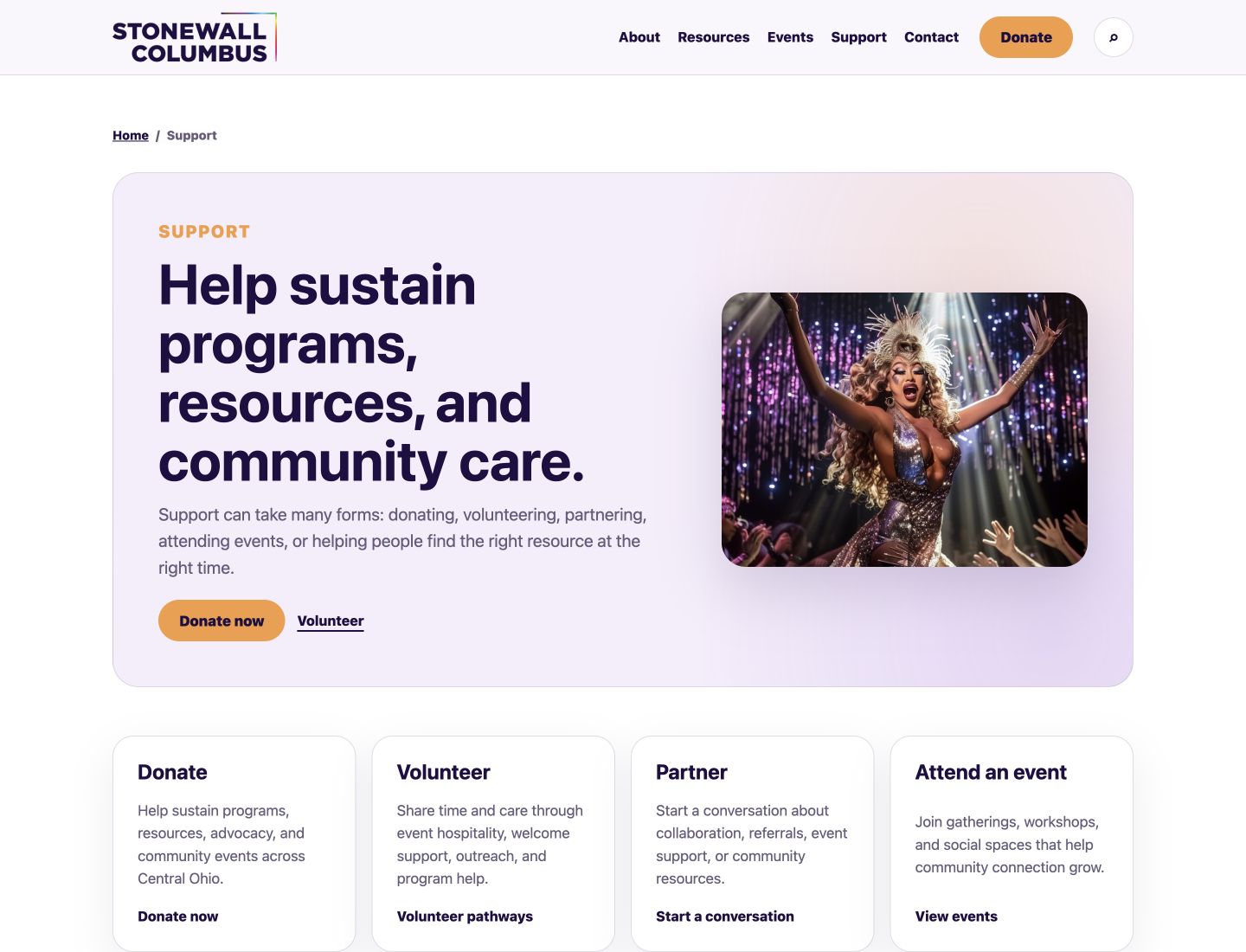
Donating, volunteering, partnering, and attending events are presented as distinct, equally legible ways to participate.
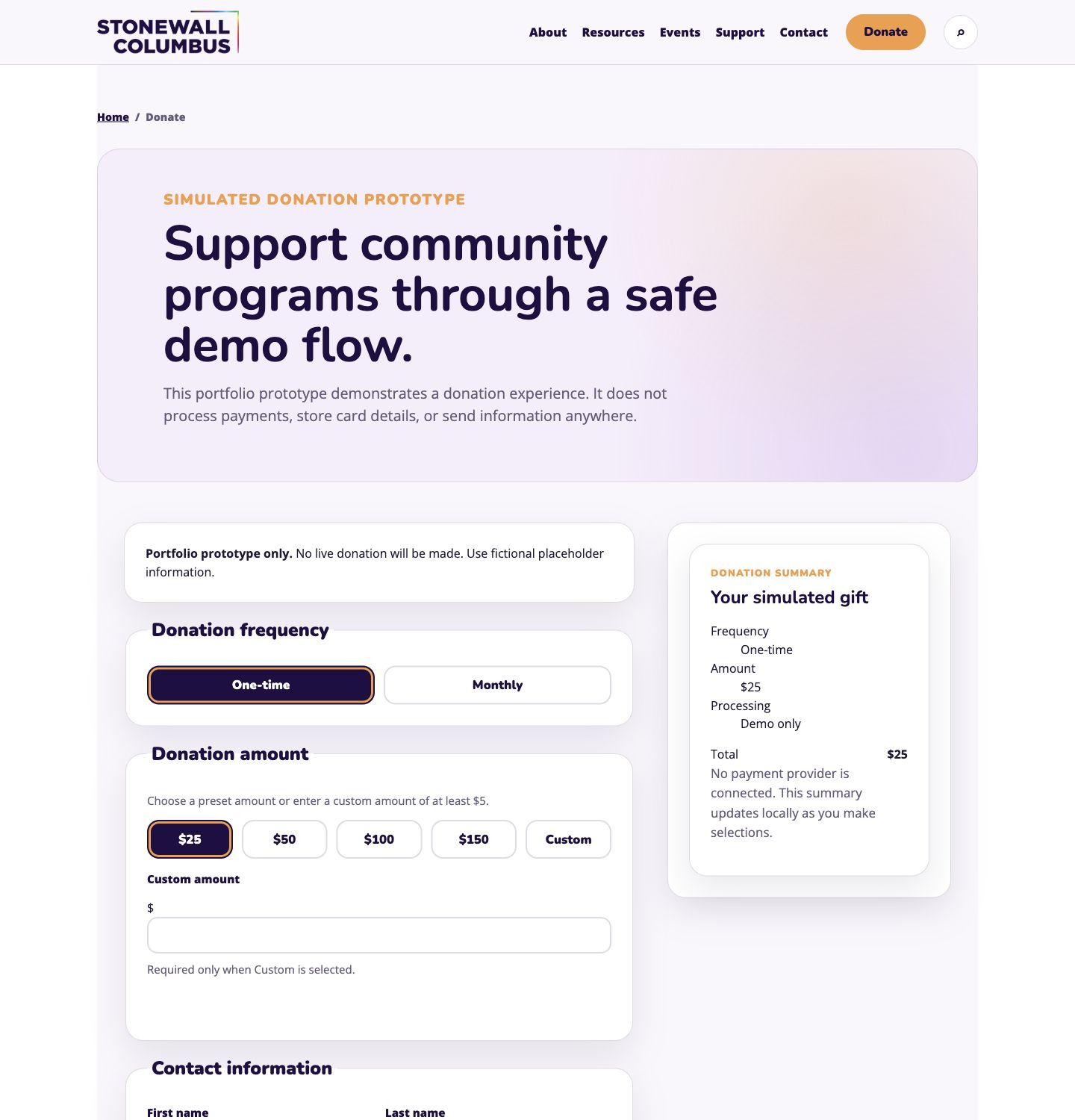
The coded demonstration shows the donation path and form states while clearly identifying the experience as a prototype rather than production payment infrastructure.
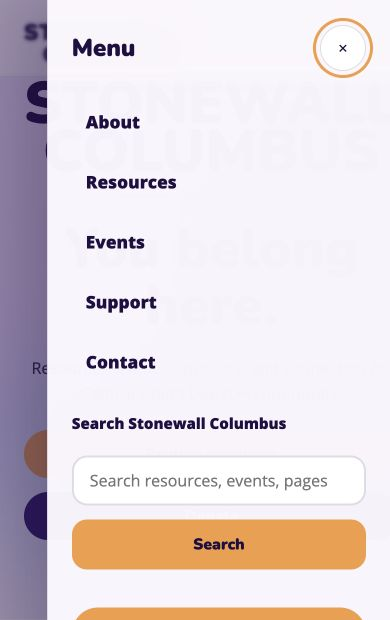
Desktop links collapse into a clear mobile menu without changing the visitor-oriented information model.

Responsive implementation
Fresh captures of the coded homepage show the same hierarchy adapting across desktop and mobile without placing one device inside another.
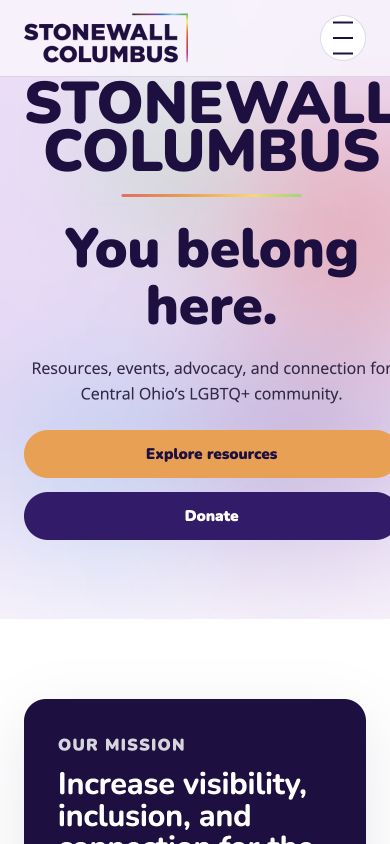
Distinct routes connect homepage, About, Events, Resources, Support, Contact, and Donate.
Navigation collapses, grids stack, controls widen, and imagery scales without clipping.
Headers, cards, CTAs, breadcrumbs, newsletter blocks, and footers repeat across the demonstration.
The multi-page experience is published and linked directly from this case study.
Accessibility considerations
The implementation includes a skip link, semantic headings, descriptive image alt text, labeled forms, meaningful link text, responsive type, visible focus treatment, and tap-friendly controls.
This is not a claim of full accessibility. Assistive-technology testing, contrast review across every state, and validation with community members remain necessary.
Outcome + reflection
The project produced a clearer visitor-oriented navigation model, a more cohesive visual language, connected pathways across resources, events, support, and giving, and a responsive coded demonstration.
Community UX must carry two kinds of clarity at once: emotional reassurance and practical direction. Translating the prototype into a multi-page build exposed responsive, content, and routing decisions that a static frame could not.