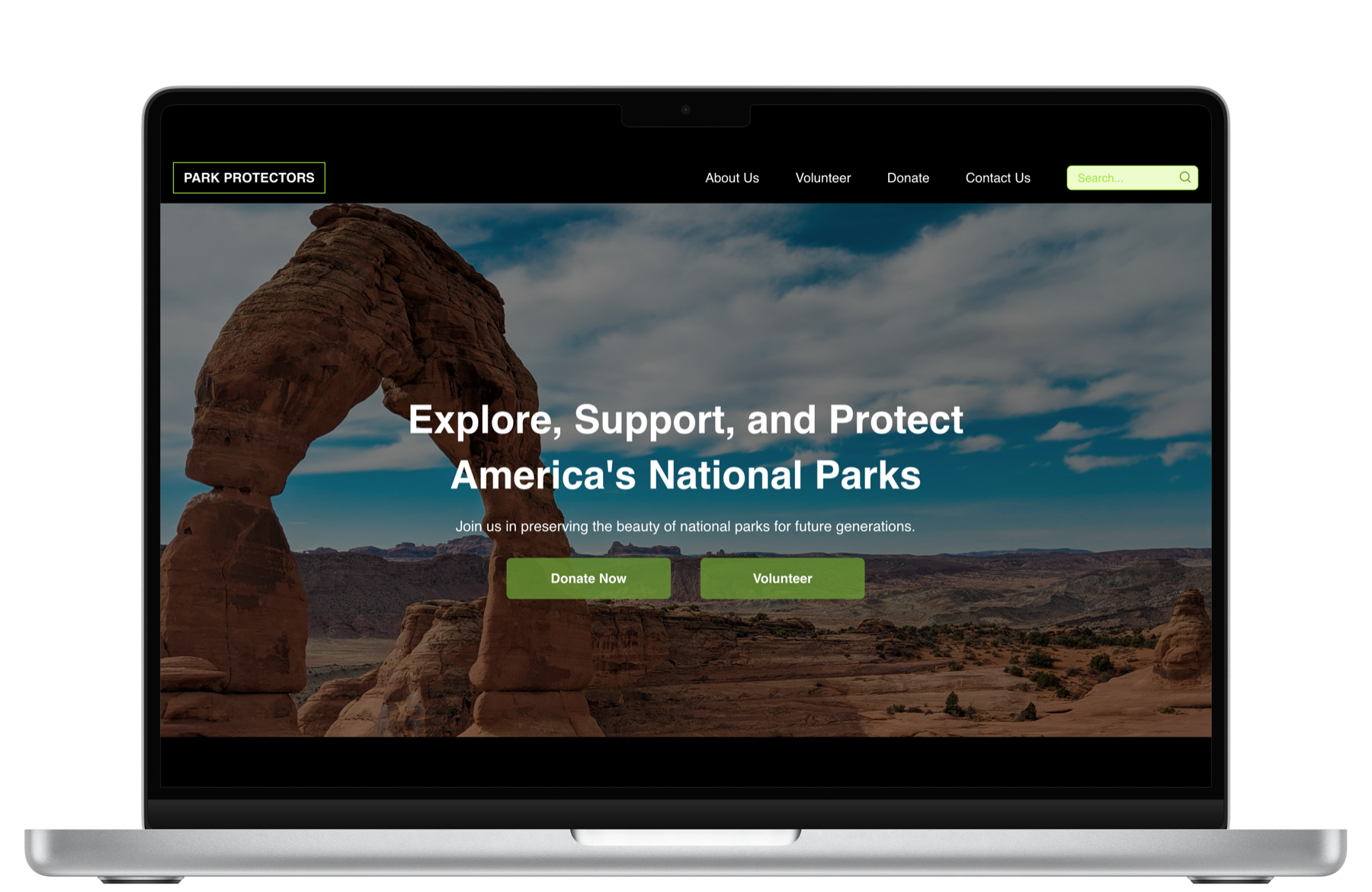
Interest was high. The path to action was scattered.
Volunteer listings, park information, conservation news, and donation routes often lived in separate systems.
Park Protectors · UX/UI + Front-end
A responsive advocacy and donation experience that helps people discover national park conservation efforts, understand how to help, and take action with less friction.
Overview
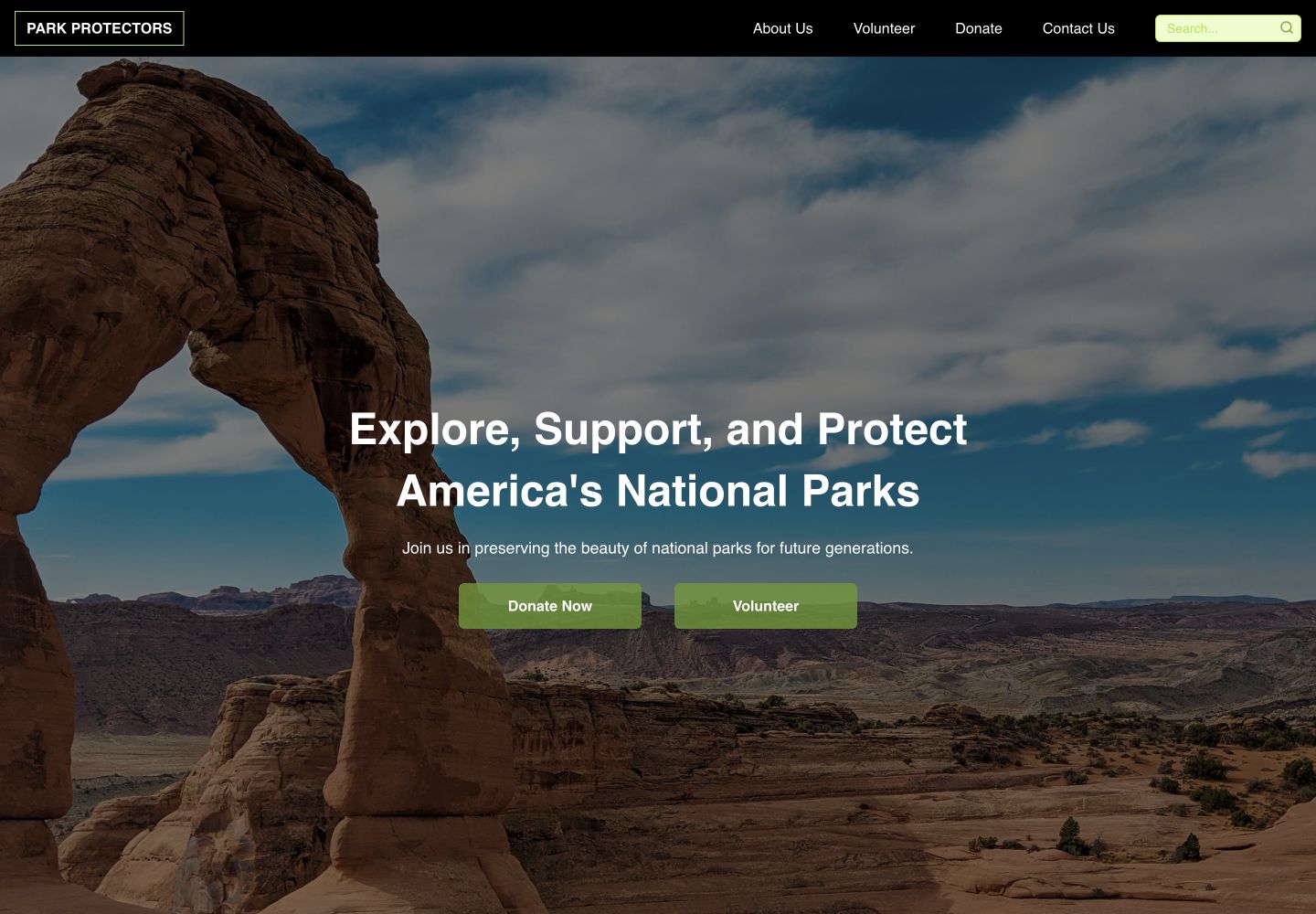
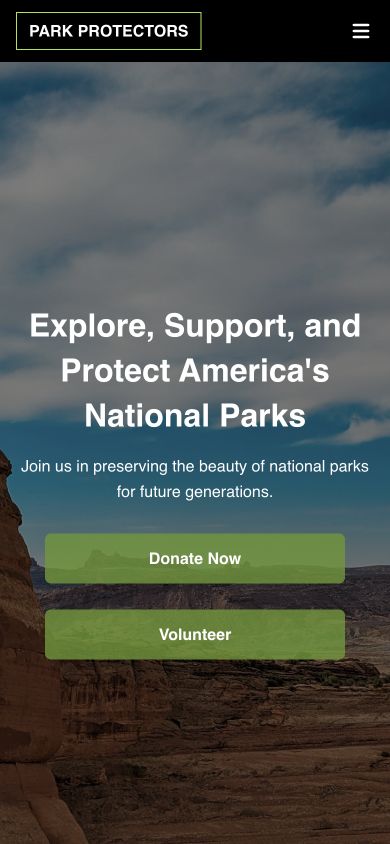
Park Protectors began with a broad question: how might people who care about public lands find a practical way to help? The team combined research, information architecture, prototyping, and front-end development to create a working responsive website.
Volunteer listings, park information, conservation news, and donation routes often lived in separate systems.
Research shaped a task model centered on discover, volunteer, donate, and stay informed.
I contributed UX/UI design and translated the system into React components and responsive front-end behavior.
Research
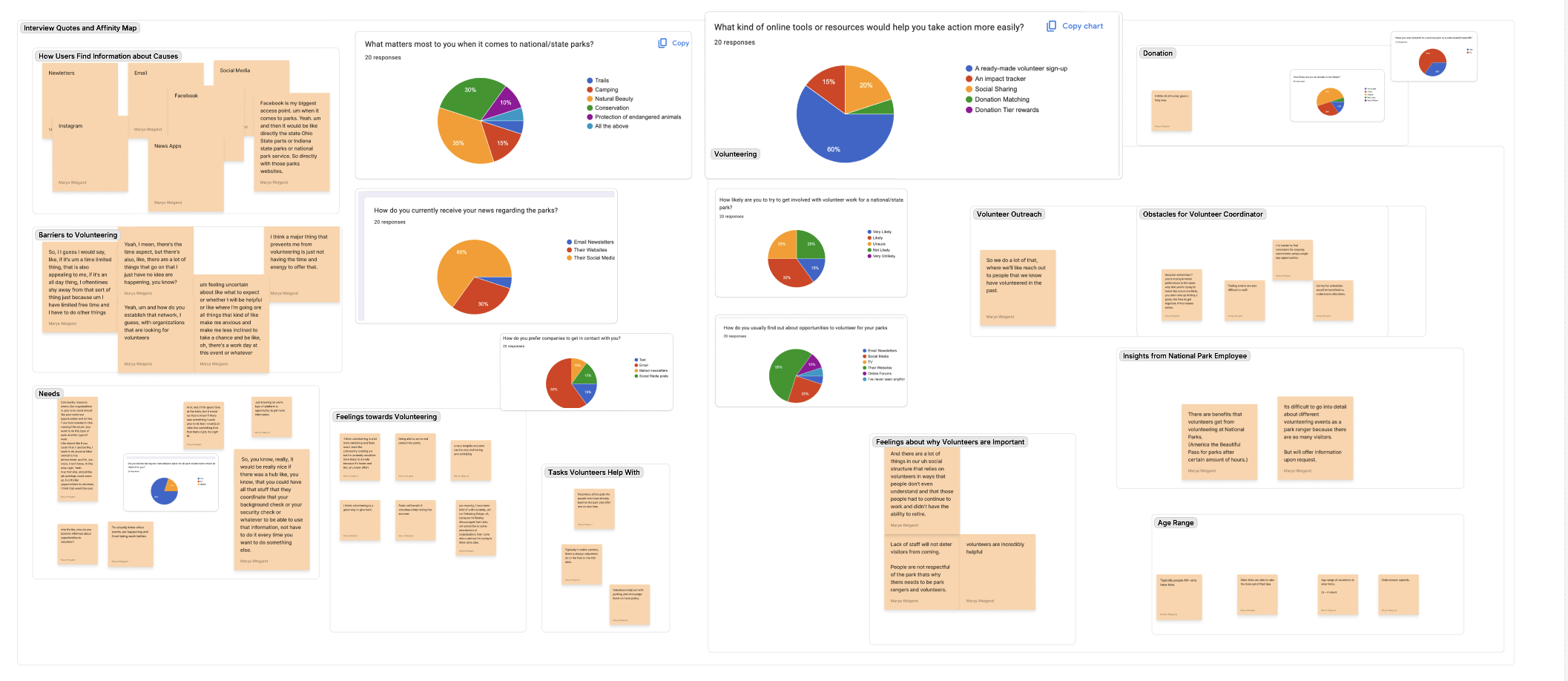
Interviews, a 20-response survey, and competitive review pointed to the same gap: people wanted to help, but lacked a dependable place to discover nearby opportunities and understand what to do next.
Participants ranged across the project’s target audience and helped prioritize conservation interests and action tools.
The clearest resource preference was a direct volunteer sign-up experience rather than another information-only site.
Natural beauty was the top reason parks mattered, followed closely by conservation at 30%.
Research synthesis
The dense research board is preserved as source evidence, but the case study translates it into the decisions that mattered most for the product.
A centralized, searchable set of volunteer opportunities became a core product requirement.
Dates, locations, activities, and expectations needed to be visible before sign-up.
The experience separated learn, volunteer, and donate paths so users could act without decoding the organization.
Competitive analysis
The review covered established conservation organizations and volunteer-discovery platforms. Their strengths informed credibility; their gaps created room for a simpler action hub.
High trust, strong advocacy, rich educational content.
Move action choices closer to the content that inspires them.
Clear causes and strong mission-driven storytelling.
Make local opportunities easier to discover and compare.
Concrete participation models and searchable opportunities.
Unify discovery, context, giving, and conservation education.
Synthesis
Desiree represents a park patron who already cares about conservation. Her barrier is not motivation—it is finding timely, trustworthy opportunities that fit her schedule.
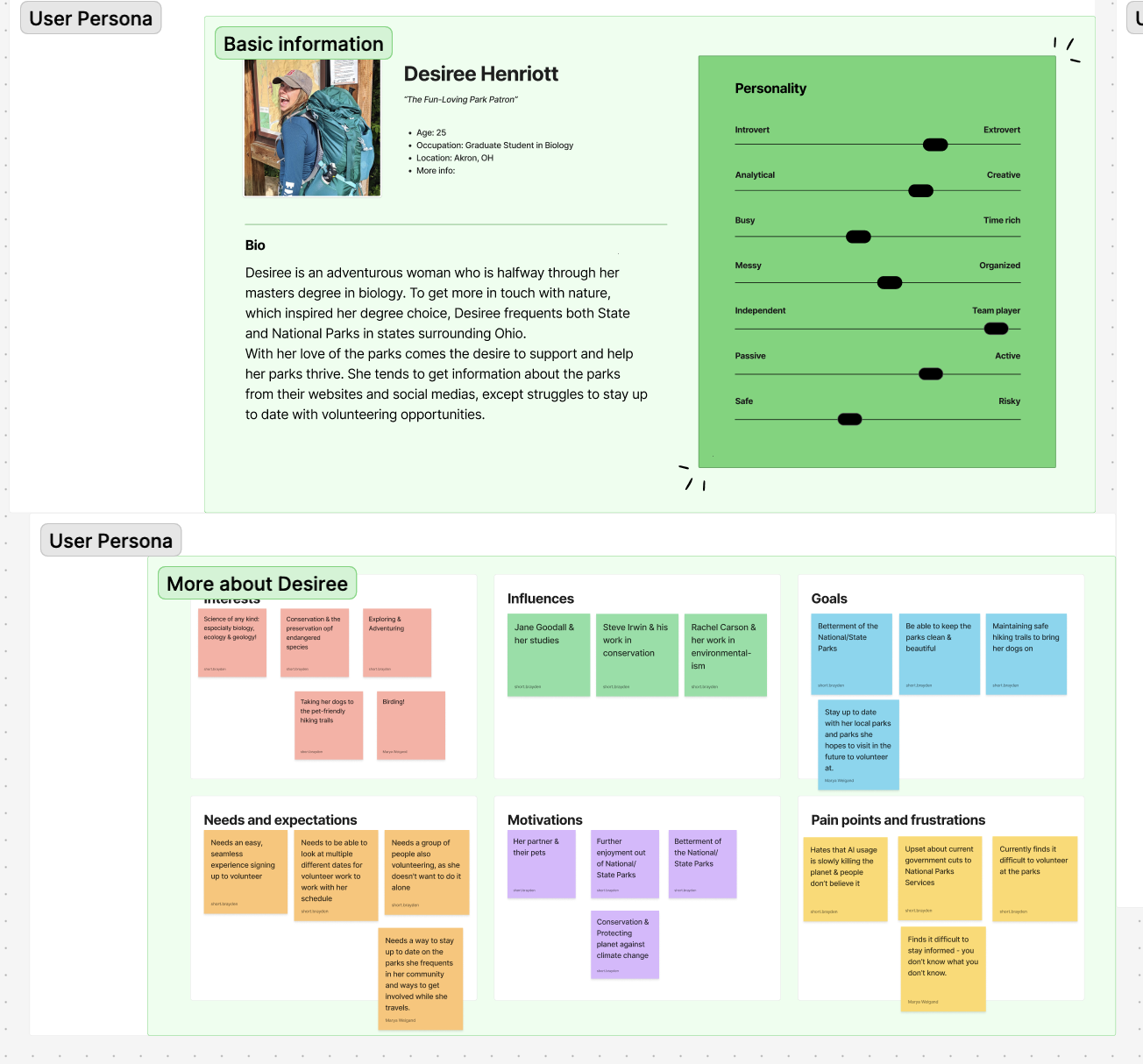
“I want to give back to the parks I care about, but I need one easy place to see what is happening and how I can help.”
Find meaningful conservation work without hunting across channels.
Social feeds and separate park sites made opportunities easy to miss.
Pair searchable opportunities with visible dates, locations, and next steps.
Journey + narrative
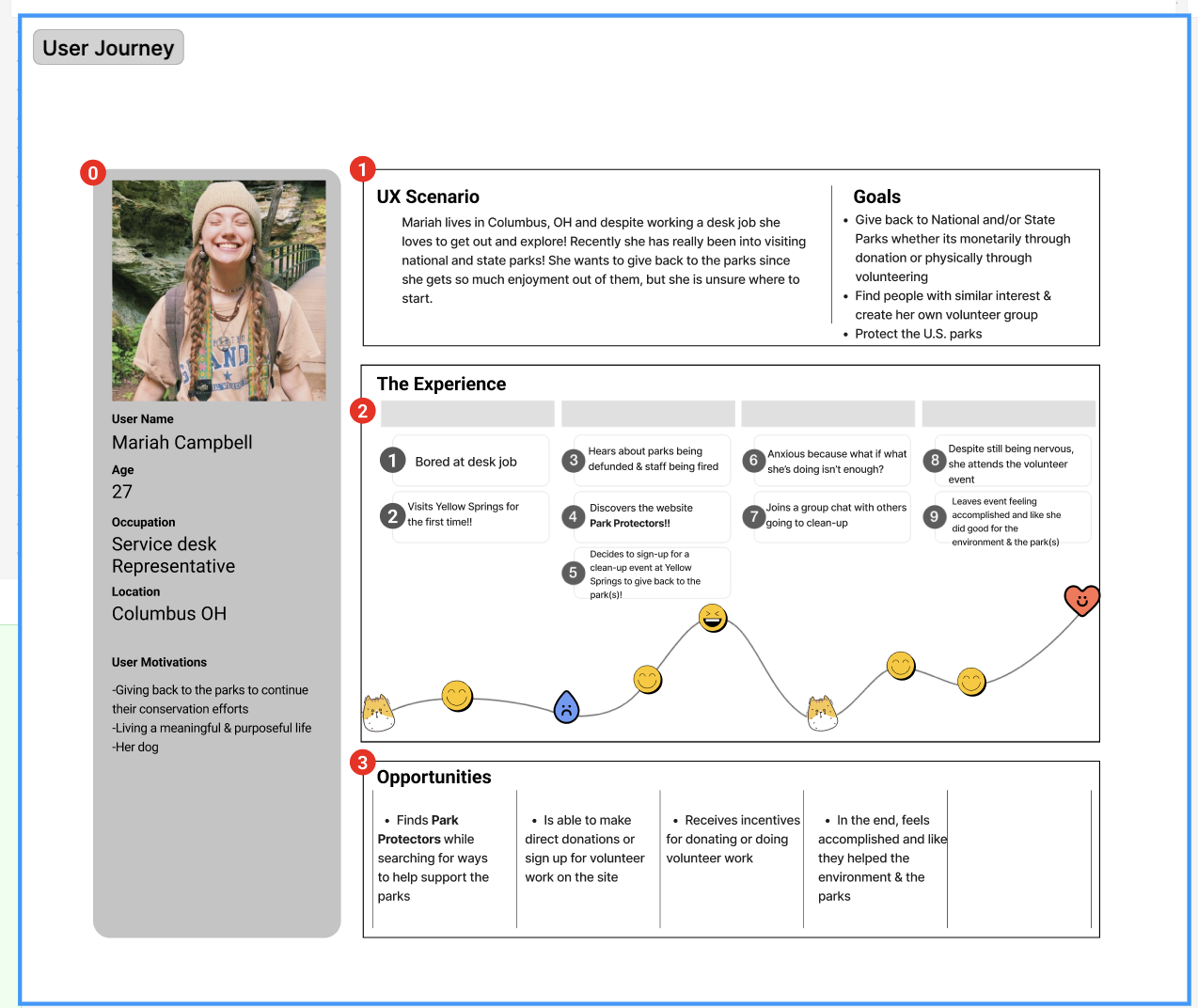
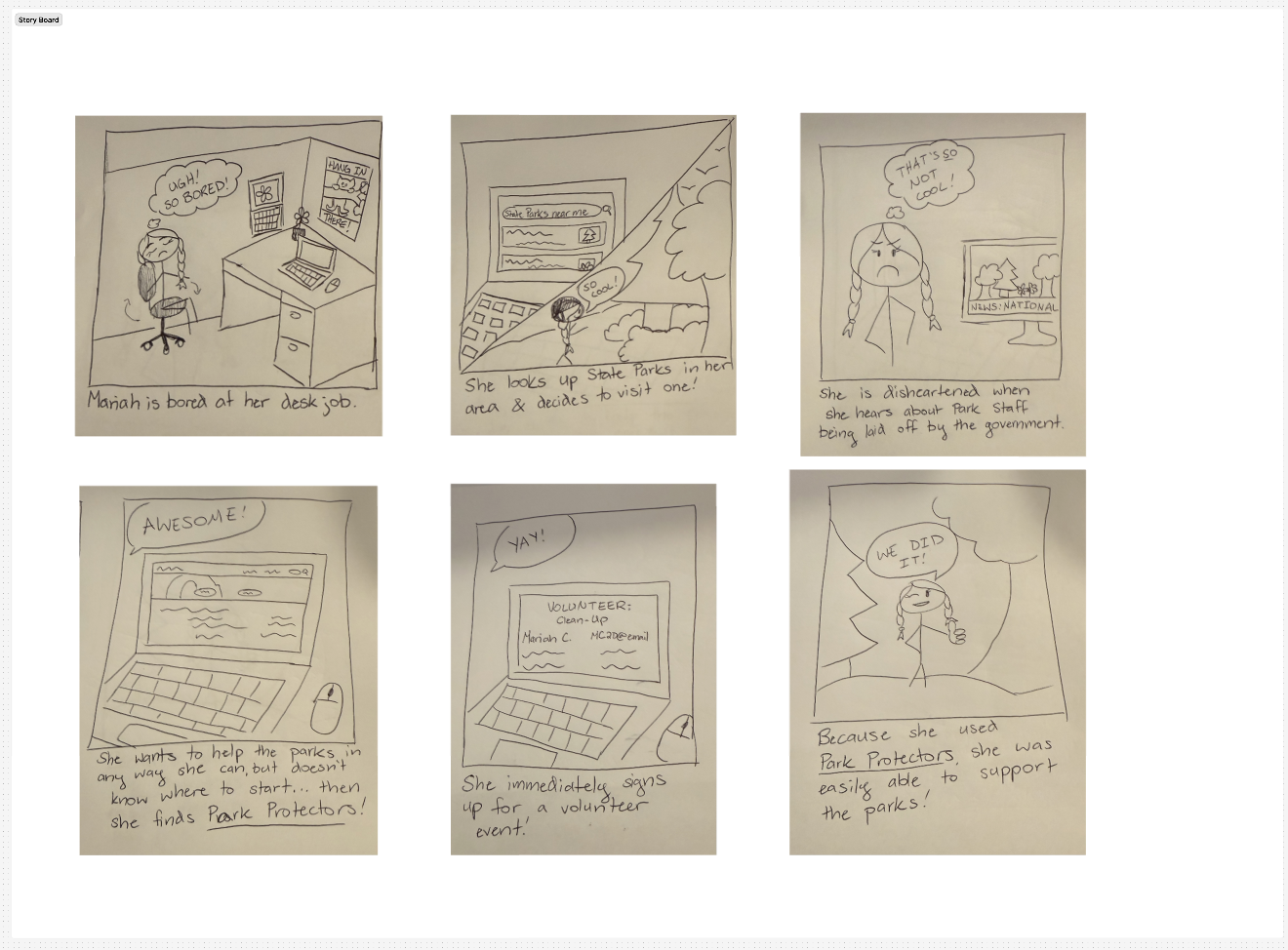
The journey map exposed confidence dips around discovery and sign-up. The storyboard made the desired transformation tangible: Mariah moves from wanting to help to joining a park clean-up.
Information architecture
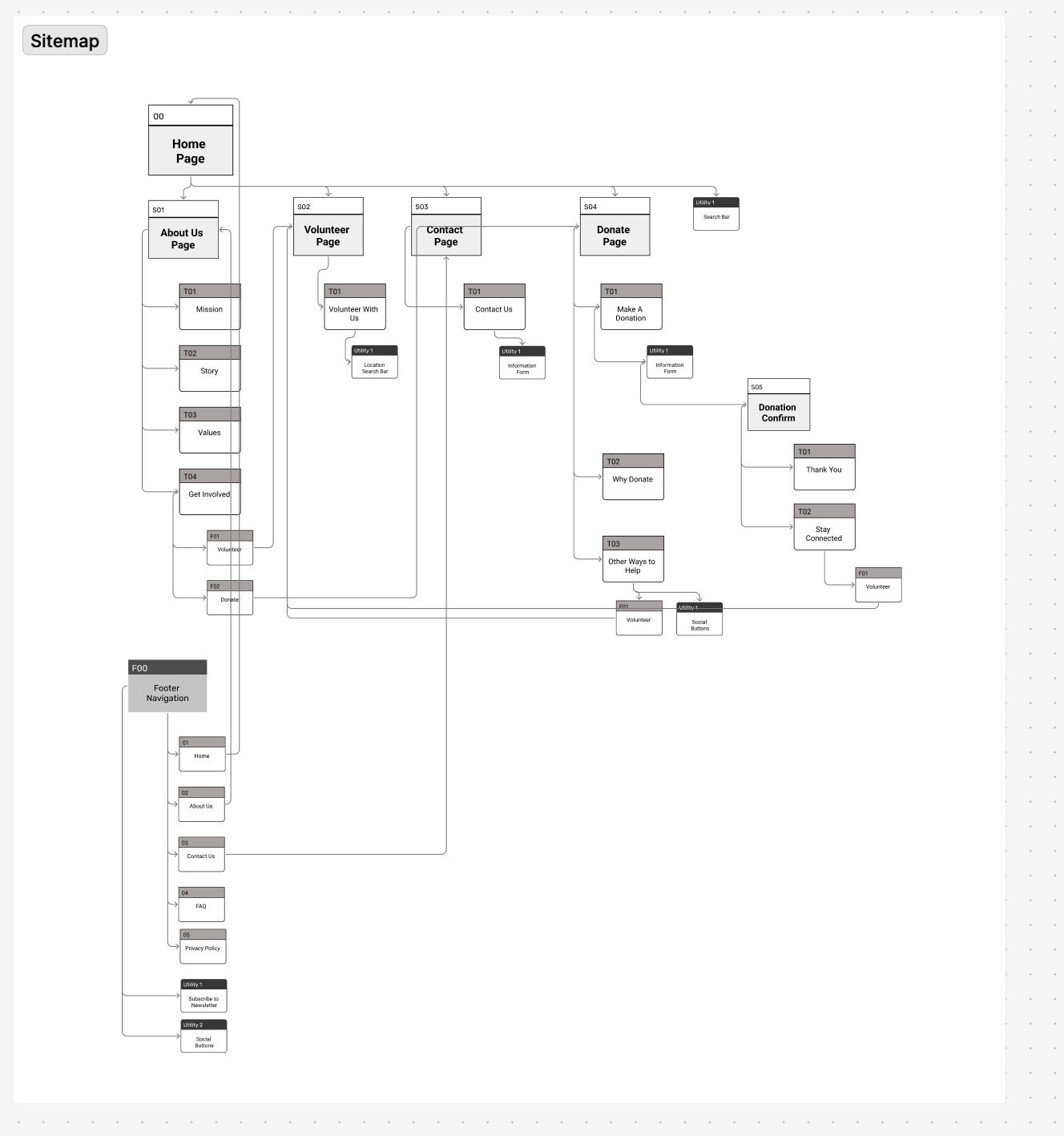
The sitemap creates direct routes to About, Volunteer, Contact, and Donate. Search remains globally available, while supporting pages handle confirmation, values, and follow-up.
Paper prototype + low fidelity
Early screens established the landing hierarchy, mission content, volunteer discovery, and donation entry points. The team used the prototype to check navigation language and task sequence before committing to visual detail.
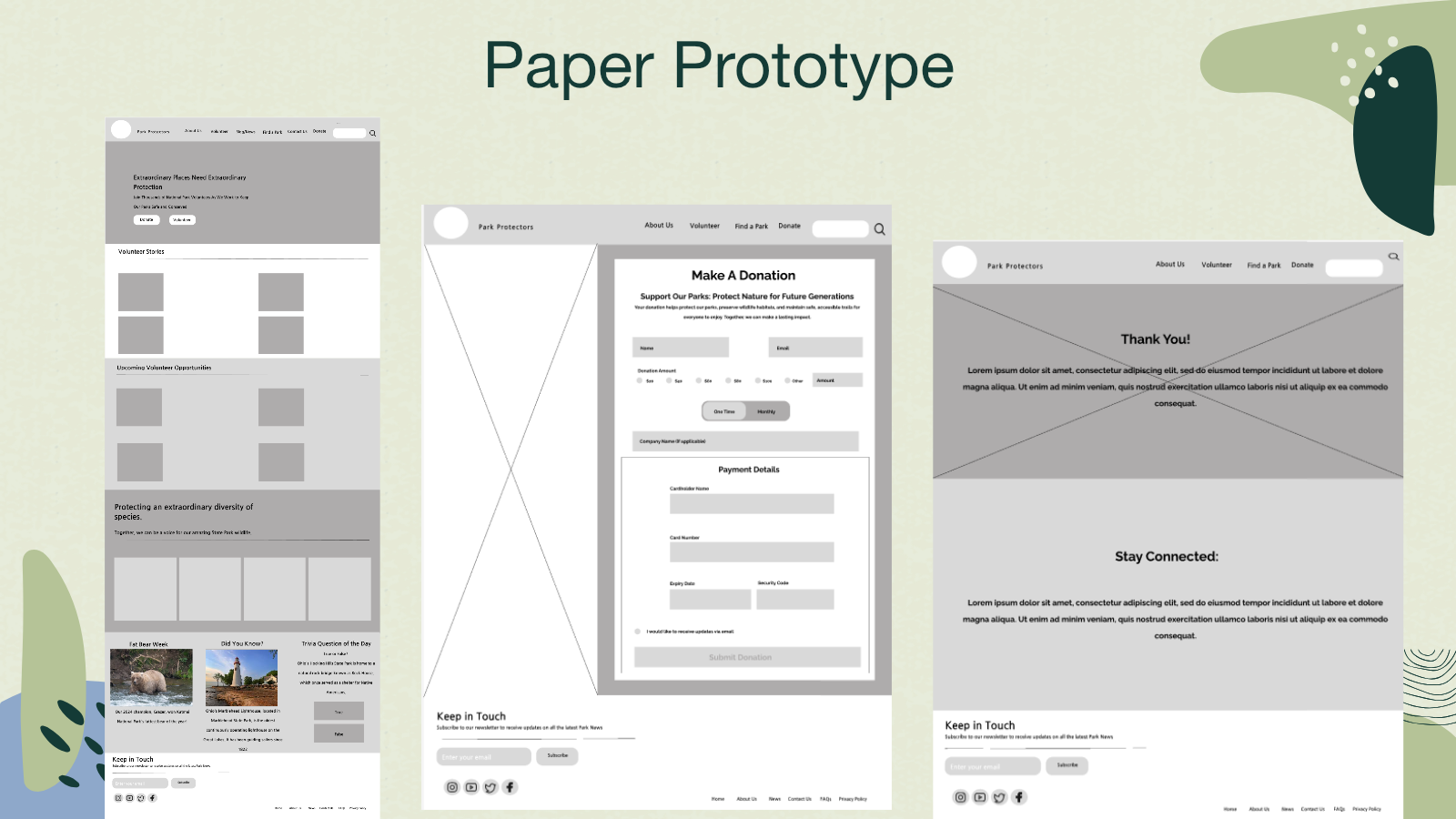
Early concepts treated mission content and task actions with similar weight.
Donate and Volunteer moved into persistent, scannable positions across the experience.
Visual evolution
The original guide established the conservation voice. During implementation, the visual language was simplified into monochromatic greens, near-black navigation, generous white space, and clearer interactive contrast.
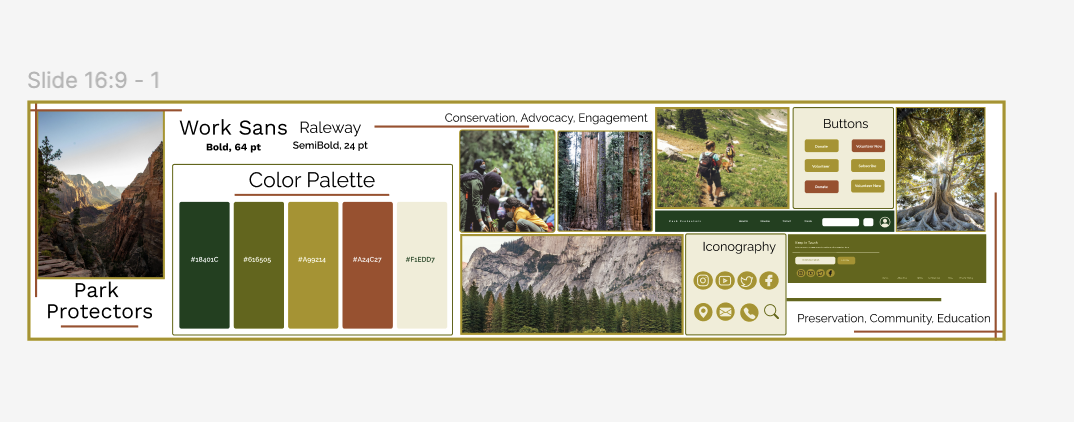
The implementation uses strong dark anchors and restrained green surfaces to keep content legible and calls to action distinct.
Coded product
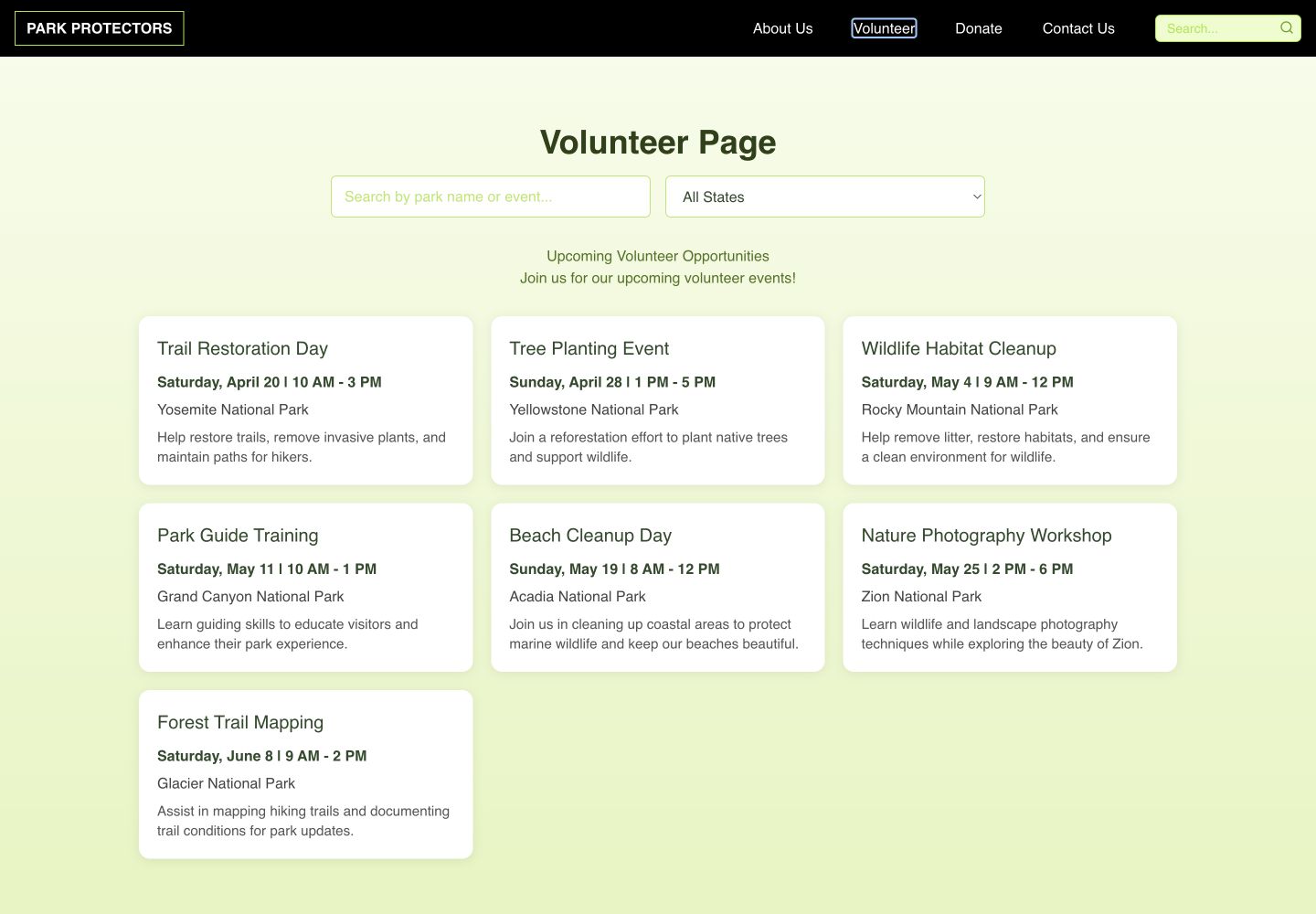
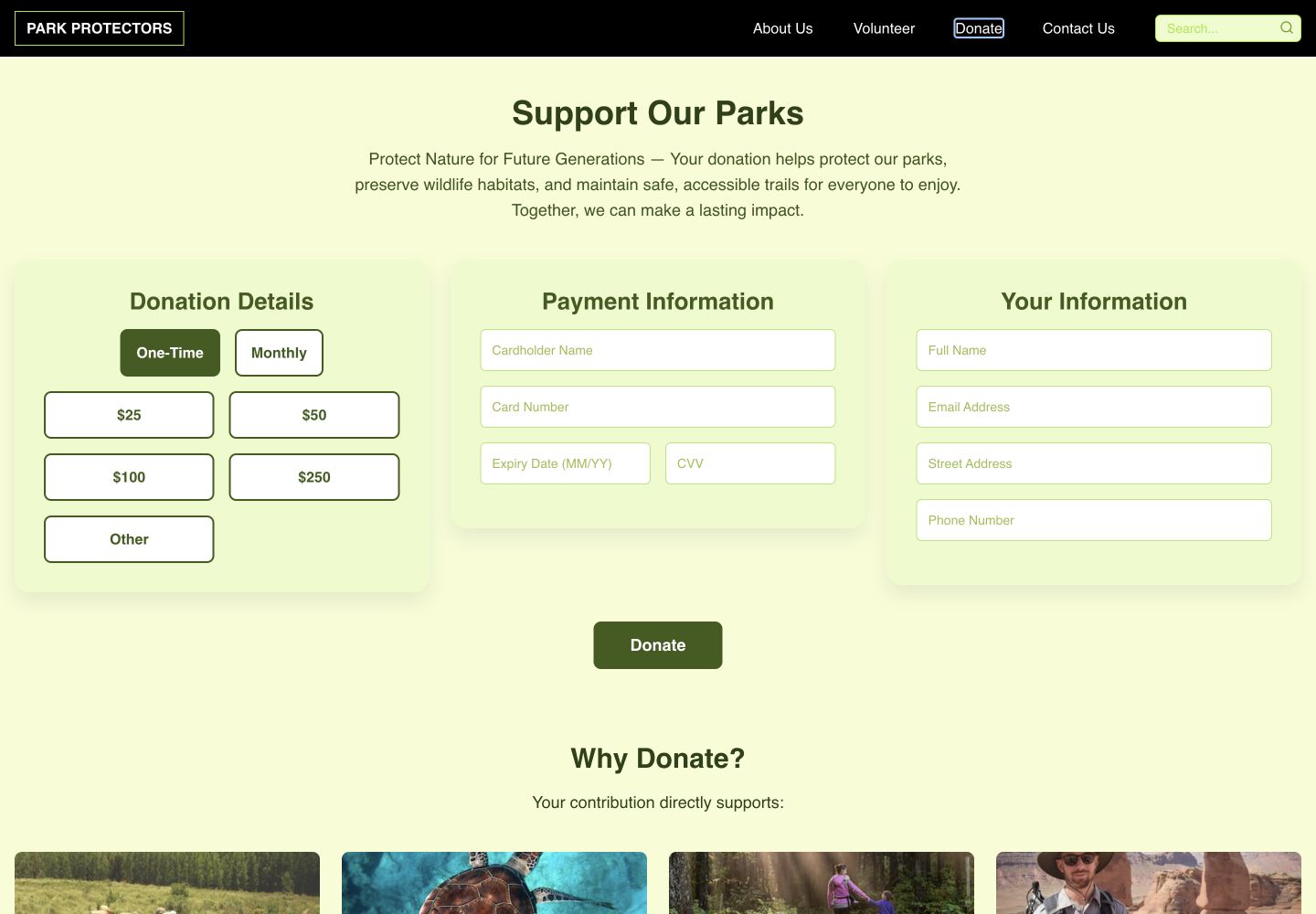
The final experience is a responsive coded website—not only a concept. It includes navigable content, volunteer filtering, a park map, live news links, and a front-end donation demonstration.
Users can scan activity, date, time, and location, then narrow the set by keyword or state.
Donation content explains why support matters and presents a clear front-end path. Payment processing was outside this implementation and is not represented as production-ready.
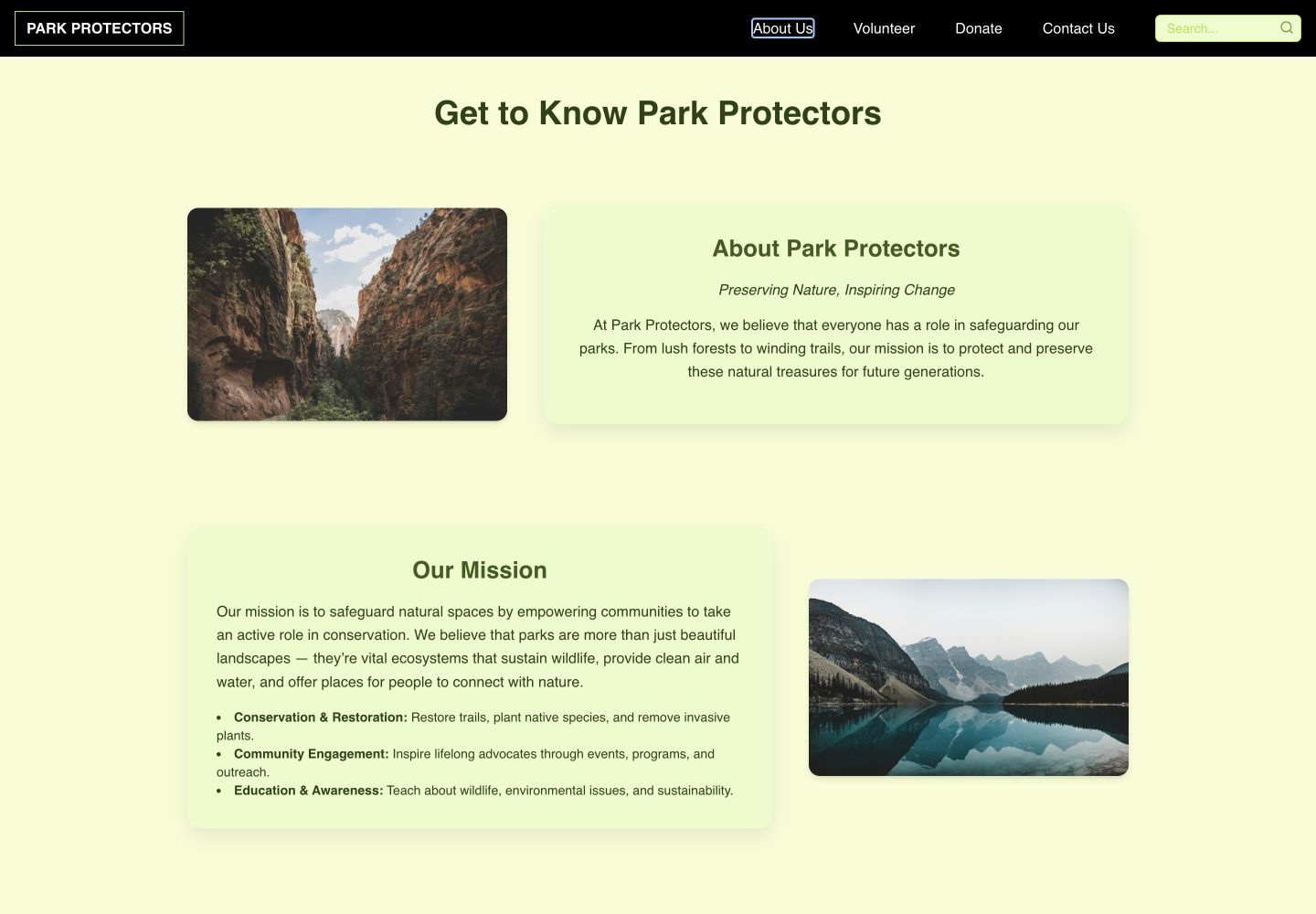
The About experience gives users the organizational context they need before volunteering or contributing.
Front-end implementation
React and JavaScript power reusable content structures and interactions. The implementation also incorporates routing, motion, a map experience, and GitHub Pages deployment.
Reusable page, navigation, card, and form components.
Search, filtering, responsive navigation, and route-based flows.
Park discovery through mapped locations and search controls.
A publicly accessible coded prototype for review and iteration.
Accessibility focus
Usability testing
Qualitative testing validated the concept’s purpose, visual direction, and overall function. It also surfaced prototype behavior that could confuse users when an interaction did not respond as expected.
Participants responded positively to the mission, visual design, and usefulness of the product.
Keep the clear mission-to-action relationship.A trivia interaction created confusion when the prototype did not behave like a finished interface.
Design complete states and test the coded interaction directly.The coded version reduced visual variation and concentrated on the strongest discovery and action routes.
Continue validating live flows at mobile sizes.Outcome
Park Protectors demonstrates the complete path from research to a responsive React product. The result brings mission, volunteer discovery, park information, and giving into one coherent system.